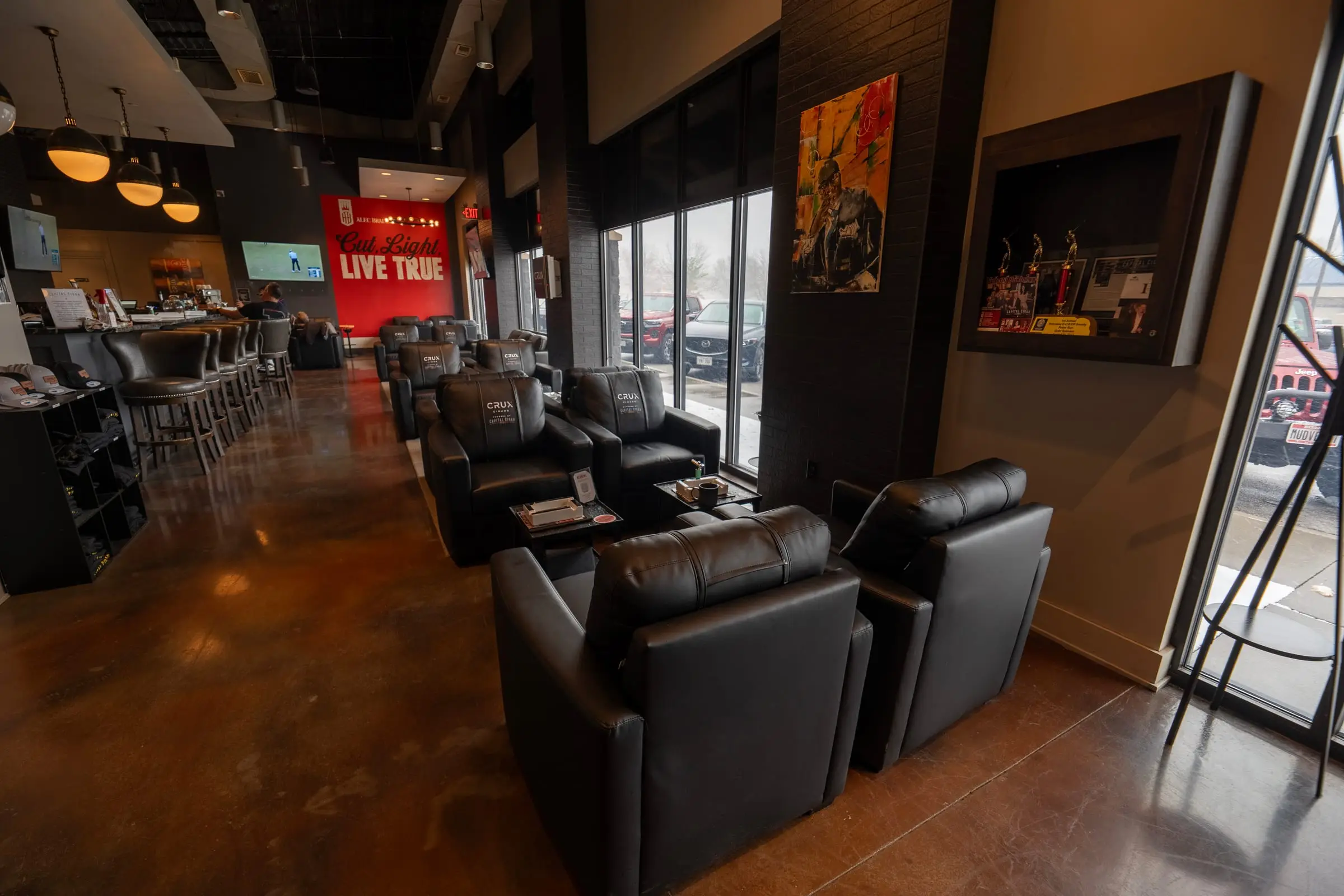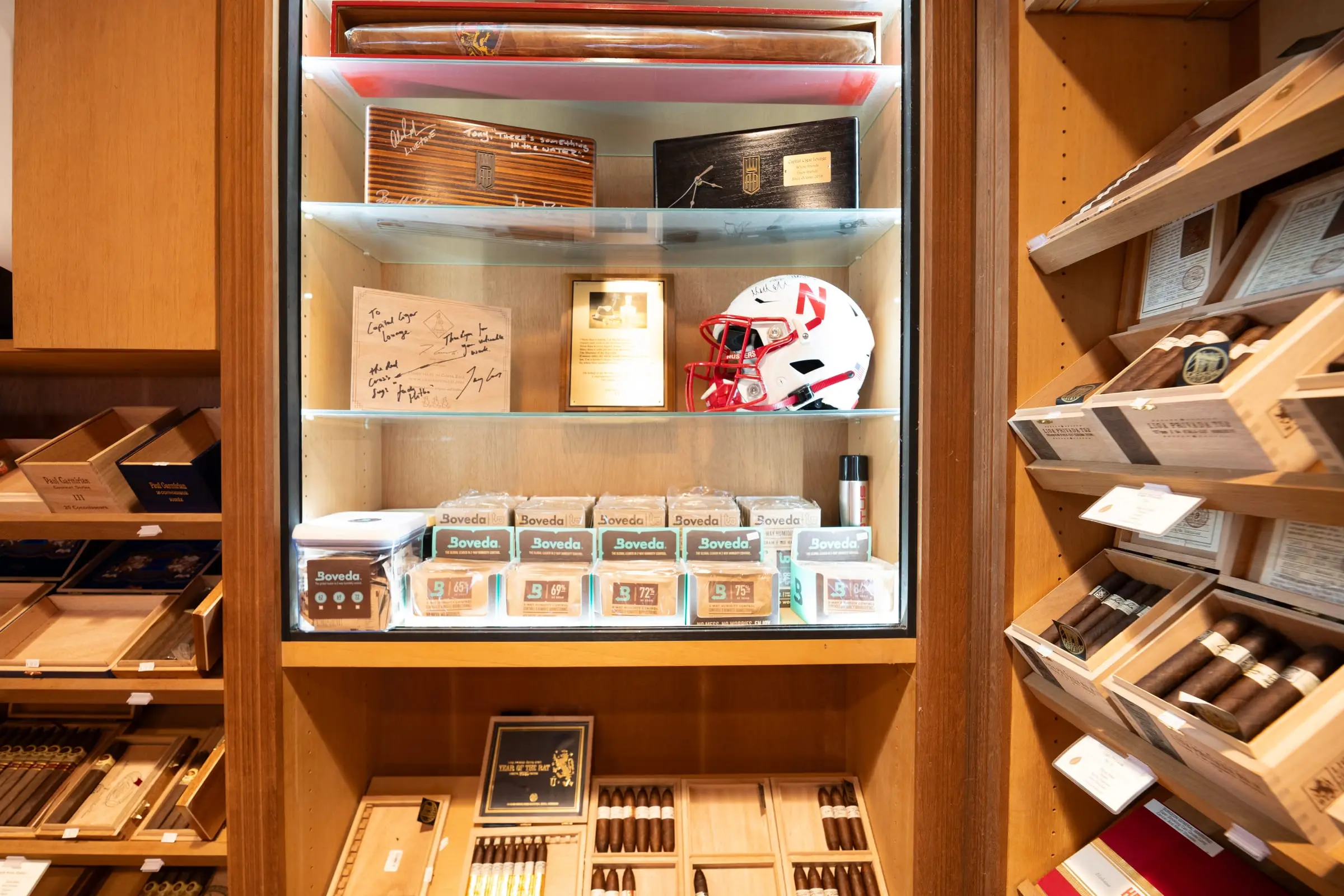
Open Google on your phone, search for your own business the way a stranger would, and look at the photos before you read anything else. That is what most people do. They do not read the description or scroll to the hours. They look at the pictures, decide in about three seconds whether the place looks open, clean, real and worth the drive, and then they tap Call or Directions, or they swipe to the next result.
For a lot of Lincoln businesses, those pictures are a blurry exterior from 2019, a handful of customer snapshots, and one photo of the parking lot that somebody uploaded in good faith and nobody ever removed. The profile is free, it is the most-seen page your business has, and it is often the least curated thing you own.
This guide is about Google Business Profile photos in Lincoln, NE: which images actually belong on the listing, how Google treats them, what the technical requirements are, what a professional shoot for it costs in this market, and the specific mistakes we see Lincoln businesses make repeatedly. It is written for owners and office managers, not for SEO people, and it is honest about what is known versus what the internet merely repeats.
The short answer
A well-built Google Business Profile photo set is 20 to 40 images across a handful of categories: a logo, a cover photo, an exterior that a stranger can recognize from the street, an interior, the team, the work itself, and, depending on the business, products, food or rooms. Shot professionally in Lincoln it usually takes a 90-minute to half-day session, which falls in the $300 to $900 range of the commercial brackets in our commercial photographer rates guide. At NVAR a half day is $600, commercial license included, with delivery inside two weeks. The full price list is on the investment page.
Then you add a few new photos every month, because a profile with fresh images reads as a business that is still operating. The one-time shoot is the foundation. The habit is what keeps it from going stale.
Why these photos matter more than your website
Most local businesses think of their website as the front door. For a large share of customers, especially those searching "near me" on a phone, the Google listing is the front door and the website is the room behind it that they may never enter.
Three things are true about how people use a profile:
Photos are the fastest trust signal. Reviews take time to read. A photo takes a glance. A listing with a real, well-lit image of the storefront tells a first-time visitor that the address is correct, that the place exists and that somebody maintains it. A listing with no photos, or only photos that look abandoned, quietly signals the opposite.
The profile is where comparison happens. Search "dentist Lincoln NE" or "pizza near me" and Google shows a pack of three to five businesses side by side. The cover images sit next to each other. You are not being compared with your best work. You are being compared with whatever the business next to you uploaded.
You do not fully control the profile. Customers can upload photos too, and Google decides which image shows first. If you have uploaded nothing, the top image is whatever a stranger happened to post, which could be a dark photo of a receipt. Uploading your own set does not give you total control, but it dramatically improves the odds of what appears.
What we will not claim: that a specific number of photos moves you to a specific ranking, or that any particular percentage lift is guaranteed. You will see confident statistics on marketing blogs about photo count and clicks. Treat those as directional. What we can say from the businesses we have shot for is simpler. Better photos make the listing look like a place worth visiting, and that is the whole job.
The photo categories Google gives you, and what goes in each
The Google Business Profile photo manager sorts images into categories. Which ones are available depends on your business type, but the core set is consistent. Here is what each is for, and the version of it that works.
| Category | What it is for | What works |
|---|---|---|
| Logo | The small mark beside your name in results | Square, clean, readable at thumbnail size, on a plain background |
| Cover | The wide image at the top of the profile | The one frame that says what you are: your best interior, your storefront at its best, or the work |
| Exterior | Helping people find and recognize the building | Daylight, straight-on, with the signage and entrance legible, plus one from the parking or approach side |
| Interior | What it feels like inside | Wide, level, bright, uncluttered; a few angles, not one |
| Team / at work | The humans behind the business | Real staff doing real work, not posed in a line against a wall |
| Product / food & drink / rooms | The offer itself | Clean, honest, consistently lit, shot the way the customer will actually receive it |
| Common areas / menu | Orientation and decision support | Legible menu, uncluttered lobby or waiting room |
A few notes on those categories, because they are where the specifics matter.
The exterior photo does more work than any other image. Someone driving to your location for the first time is looking for a building. If your signage is hard to see, or the entrance is around the side, or there is a shared door in an office park, an exterior shot taken from where the customer will approach saves a phone call. The front of the building in late-day light with the sign readable is the single most reused image a local business owns, and we put it first in our brand photography shot list for the same reason.
The cover photo is a decision, not a default. Pick it deliberately, and keep in mind that Google may not always display the one you chose. Choose a frame that works when cropped: strong subject, uncluttered edges, nothing important pushed to the extreme corners.
Team photos should look like a team. A row of people against a wall is a mugshot. Staff mid-conversation, at the counter, at the bench or on the floor reads as warm and competent. If your people are a selling point, which they usually are for a law office, clinic, salon or contractor, this is where you spend effort. For consistent individual portraits that match, see Lincoln team headshots.
Interior photos need real light. Phone cameras struggle with a room that mixes window light and overhead fixtures, which describes almost every commercial space in Lincoln. The usual result is a muddy yellow cast or blown-out windows. A professional corrects for it, and it is the difference between a space that looks dingy and one that looks inviting.
The technical requirements, so Google does not reject your upload
Google publishes guidance for images, and it is worth following so the photos display the way you intended. As of this writing, the commonly cited requirements are:
- Format: JPG or PNG
- File size: between 10 KB and 5 MB
- Resolution: 720 pixels wide by 720 pixels tall is the recommended size; Google states a 250 by 250 pixel minimum
- Quality: in focus, well lit, and without heavy filters or obvious editing; the image should represent the business as it really is
Check Google's current help pages before a big upload, because the platform adjusts these from time to time. What does not change is the principle underneath them: Google wants photos that show the real business. Stock photography, heavily staged imagery and pictures that do not match the location can be removed, and they also fail on the more important test, which is whether a customer feels misled when they arrive.
Two practical points on files. Upload the largest version that fits the limit rather than a tiny compressed one. Google resizes for display, so a small starting file just looks soft on a large screen. And name your files sensibly before upload, such as lincoln-nebraska-dental-office-reception.jpg rather than IMG_4471.jpg. We cannot tell you Google reads filenames for ranking, and we will not pretend to. It is simply a good habit that also makes the files easier to find on your own computer two years from now.
What about geotagging photos? A myth worth retiring
If you have read anything on this topic, you have probably seen the advice to "geotag your photos" by embedding GPS coordinates in the file before upload so Google associates them with your location.
Be skeptical. Google has not confirmed that photo EXIF location data is a ranking factor for local results, and many platforms strip that metadata on upload anyway. Time spent on it is better spent on the things that are verifiably useful: accurate business information, a real set of photos, and responding to reviews. If someone offers to sell you a geotagging service, decline it. If you want to be thorough and it costs you nothing, fine. But nobody should be paying for it, and no photographer should promise results from it.
This is the kind of thing worth saying plainly. Plenty of local SEO advice is folklore that got repeated until it looked like fact. The fundamentals are quieter and they work: be accurate, be current, look real.
How many photos, and how often
There is no magic number, so here is a reasonable plan instead.
At setup, aim for 20 to 40 photos. That is enough to cover each relevant category with more than one image, which gives Google and the customer something to choose from, without turning into a pile of near-duplicates. A smaller business might sit at 15 to 20 and be perfectly well served. Quality beats count every time.
Then add 2 to 5 images a month. New seasonal work, a finished project, a new hire, a refreshed display, a holiday setup. A steady trickle looks like a business that is alive. A profile that got 40 photos in March 2022 and nothing since looks like one that might be closed.
Prune what is outdated. If you remodeled, changed your sign, switched uniforms or moved the counter, the old photos are now actively misleading. Remove the ones that no longer match the place. You can delete photos you uploaded yourself. Customer photos are different, and we will get to those below.
If you have a content retainer, this takes care of itself. A good session for social media also produces the monthly stills for the listing, which is one of the quiet advantages of treating the profile as part of the same content system rather than a separate chore.
Photos you cannot control: customer uploads
This is the part owners find frustrating. Anyone with a Google account can upload photos to your listing. Most will be neutral, some will be lovely, and a few will be bad: dark, sideways, a picture of a bill, or something unrelated.
You cannot delete customer photos. What you can do is flag a photo that violates Google's content policies and request its removal, which works for spam, off-topic images or inappropriate content, but not for an image that is simply unflattering. Do not expect an unflattering but legitimate photo to come down.
What you can do, and what works, is outweigh it. A profile with 30 good, current, owner-uploaded images means a single bad customer shot is a small part of the picture, not the first thing a visitor sees. And it is worth asking happy customers, politely, to post their own photos. People photograph food, finished work, new rooms and results far more readily than they photograph a business exterior, and a few good ones add authenticity no professional can fake.
What a professional shoot for your profile costs in Lincoln
Here is the practical part. If you are going to hire someone, this is roughly how it breaks down in the Lincoln market in 2026, using the same brackets as the rest of our pricing guides.
| Scope | Typical range | What it covers |
|---|---|---|
| Quick profile refresh | $300 – $500 | 1 to 2 hours, one location, exterior, interior, a few team or detail shots, 15 to 25 finished images |
| Half day | $600 – $900 | 4 hours, one location, full category coverage, team and at-work photography, 40-plus color-graded images |
| Full day | $1,100 – $1,800 | Multiple locations or a larger operation, heavier product or process work, 100-plus images |
| Add-on: short video | Varies | A 15 to 30 second clip of the space or the work, for the video section and for social |
NVAR's half day is $600, commercial license and two-week delivery included, and the images are yours to use on the listing, the website and social media with no additional fee. Details sit on the investment page and the Lincoln commercial photographer page.
The honest way to decide between tiers: count your locations and your categories. A single-location accountant who needs an exterior, an office, two staff portraits and a handful of detail frames is a quick refresh. A restaurant with a dining room, a bar, a kitchen, a patio and a dozen dishes needs a half day or more, which is why our restaurant photography cost guide lives in a different bracket. A business with two or three locations should be quoted by location, not as one lump.
One point on value. A profile shoot is not a one-use purchase. The same images feed your website, your social channels, printed material and pitch decks. Our brand photography shot list guide walks through how to plan one shoot so each image earns its place in several of those spots. Done right, the profile is the cheapest part of a bigger set of assets, not a separate project.
Mistakes we see Lincoln businesses make with their listings
These come up over and over.
Uploading only phone snapshots from different years. Mixed lighting, mixed orientations and a mix of what the place looked like in three different eras. The inconsistency reads as neglect even if each photo is fine on its own.
Using the logo as the cover photo. The logo has its own slot. A cover photo that is a logo on a white background wastes the widest and most visible space on the profile.
No exterior photo, or a bad one. Especially common for businesses in shared buildings, office parks and strip centers, where customers genuinely struggle to find the door. This is the cheapest fix and the most useful.
Stock photos. They can be removed, and customers see through them immediately. A stock photo of a smiling team that is not your team is worse than no photo, because it implies you have something to hide.
Photos taken at the wrong time. An exterior at noon in harsh sun, a dining room at 2 pm with the lights off, a retail floor mid-restock. Timing is half the job. The best light for an exterior in Lincoln is usually the last hour or two before sunset, and the best time for an interior is when the space is clean, set and lit as customers would see it.
Never updating after a change. New signage, a remodel, a new location entrance, new menu items: the old photos keep telling the old story. A short list of changes that should trigger a photo update is worth keeping near the front desk.
Treating photos as separate from reviews. The two work together. A strong set of images and a steady flow of recent reviews tells a consistent story. One without the other looks incomplete. Ask for reviews while the experience is fresh, and keep the photos current while you do.
How to prepare for your shoot
If you hire a photographer, the preparation you do beforehand matters as much as the shoot.
- Write the shot list first. Start with the profile categories above, then add what is specific to you. Thirty minutes of planning prevents the "oh, we forgot the back patio" phone call a week later.
- Clean and stage the space. Clear counters, straighten displays, remove personal clutter, take down outdated flyers and turn off the television. A photograph shows everything a visitor's eye would skip.
- Time it for your best hours. For an exterior, ask for the last stretch of daylight. For an interior, choose a quiet period when the space is tidy but not empty. A restaurant with no customers can look lifeless, so many owners seat a few friendly faces.
- Decide who is on camera. Tell the team in advance and ask people to wear what they normally wear to work, in clean, simple colors. Staff who know the plan relax, and relaxed people photograph better.
- Bring examples. Two or three profiles you admire, local or not, tell the photographer what you mean by "professional but warm" faster than any description.
- Plan for video. If a short clip of the space or the work makes sense, it is far cheaper to shoot it while the setup is already done than to book a separate day.
For hospitality, retail and similar businesses, the same preparation applies and the work often overlaps with Lincoln hospitality content, which is built around exactly this kind of ongoing local presence.
A realistic timeline for getting it done
If you want the profile working well before the next busy stretch, here is a sensible order.
- Week 1: Audit your current listing. Delete outdated images you uploaded, note the gaps, and write the shot list.
- Week 2: Book the shoot and prep the space and the team.
- Week 3: The shoot day itself.
- Week 4: Receive and upload the finished set. Choose the cover photo deliberately, check that each image landed in the right category, and publish.
- Afterwards: Add a handful of fresh images each month, and revisit the whole set once a year or after any physical change.
None of that is exotic. The reason most profiles stay stale is not that owners do not care. It is that nobody owns the task. Make it someone's monthly job, even if it takes fifteen minutes, and the listing stays in good shape without another large project.
FAQ
How many photos should my Google Business Profile have? There is no official number, but 20 to 40 well-chosen images covering each relevant category is a strong target for most Lincoln businesses, with a few new ones added each month. Smaller businesses can do well with 15 to 20. Quality and accuracy matter far more than the total count.
What size should Google Business Profile photos be? Google's guidance is JPG or PNG, between 10 KB and 5 MB, with 720 by 720 pixels recommended and 250 by 250 as the minimum. Check Google's current help page before a large upload, since the platform sometimes changes the specs. Upload the largest file that fits rather than a heavily compressed one.
Can I delete photos that customers uploaded? No. You can flag photos that violate Google's content policies, such as spam, off-topic or inappropriate images, and request removal, but you cannot remove a legitimate customer photo just because it is unflattering. The best defense is a strong set of your own current photos that outweighs it.
Does geotagging photos help my local ranking? Google has not confirmed that photo location metadata is a ranking factor, and many platforms strip it on upload. It is not worth paying for. Accurate business information, a real and current photo set, and consistent reviews are better uses of your time.
How much does a professional photographer cost for a Google Business Profile in Lincoln, NE? A quick refresh for a single location typically runs $300 to $500, and a half day covering the full set of categories runs $600 to $900. NVAR Studios charges $600 for a half day, with commercial license and two-week delivery included. Businesses with several locations or heavy product work may need a full day at $1,100 or more.
Can I use stock photos on my Google Business Profile? You should not. Google's guidance is that photos should represent the real business, stock imagery can be removed, and customers notice it immediately. A modest set of honest photos of your actual space and team will always outperform polished images of someone else's.
The short version
Your Google listing is probably the first thing a new customer sees, and the photos are the first thing they look at. Give them an exterior they can find, an interior that looks like what they will walk into, the people they will meet and the work they are paying for. Keep it current. Do not chase myths. Spend the money once, properly, and top it up every month.
If you want to see how we approach this kind of work for local businesses, our work shows finished sets for Lincoln venues and brands, and the Lincoln commercial photographer page explains how a shoot runs from planning to delivery. If you would rather talk through your location and what a profile shoot would actually involve, the consultation is free and takes about half an hour:
Or send a note through reach out with your address and your category, and we will tell you plainly whether a quick refresh or a half day is the right size for you. The full menu of what we shoot is on the services page.
— Nvar